
RapidDNS now holds more than 11 billion records and has added over 400 million NS records. This update also brings new features and interface improvements to make asset discovery easier and more efficient.
The new tools include monitoring for domains, IP addresses, and CIDR ranges; domain analysis reports; batch search; subdomain IP history; and DNS Graph for exploring relationships in the data.
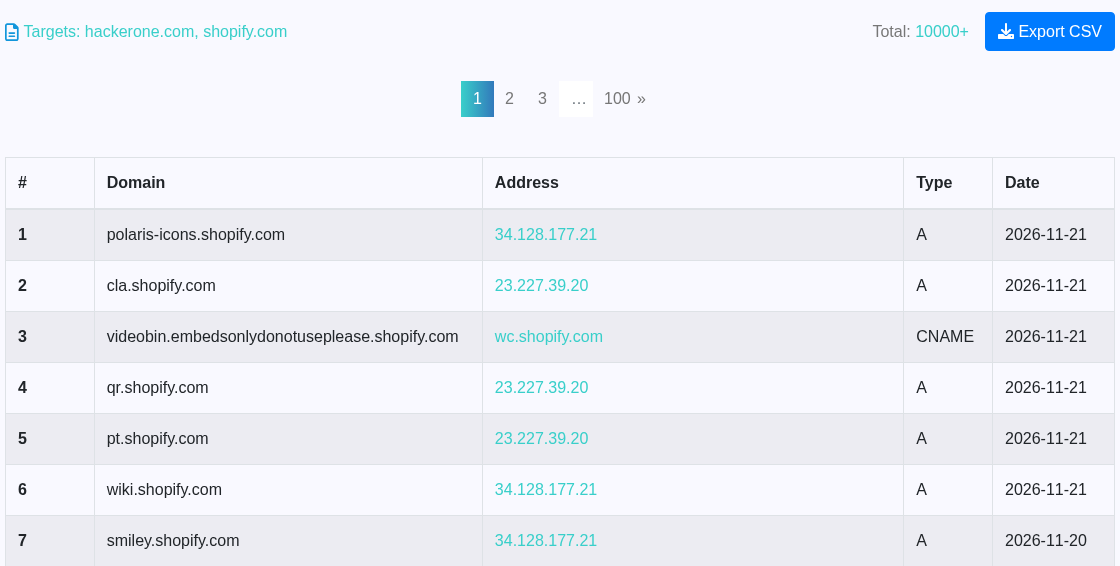
Batch search up to 10 targets #
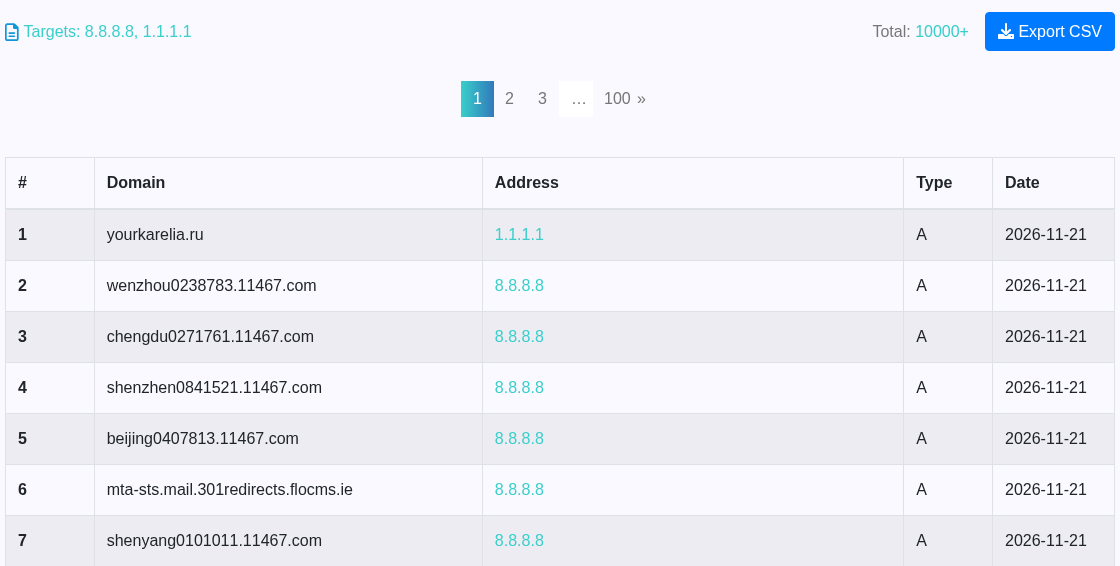
Asset discovery often starts with more than one target. Batch domain search and batch IP search each accept up to 10 targets of the same type, with one target per line. IP searches also support CIDR ranges. Results appear in a single table, saving you from running separate searches and combining them manually.
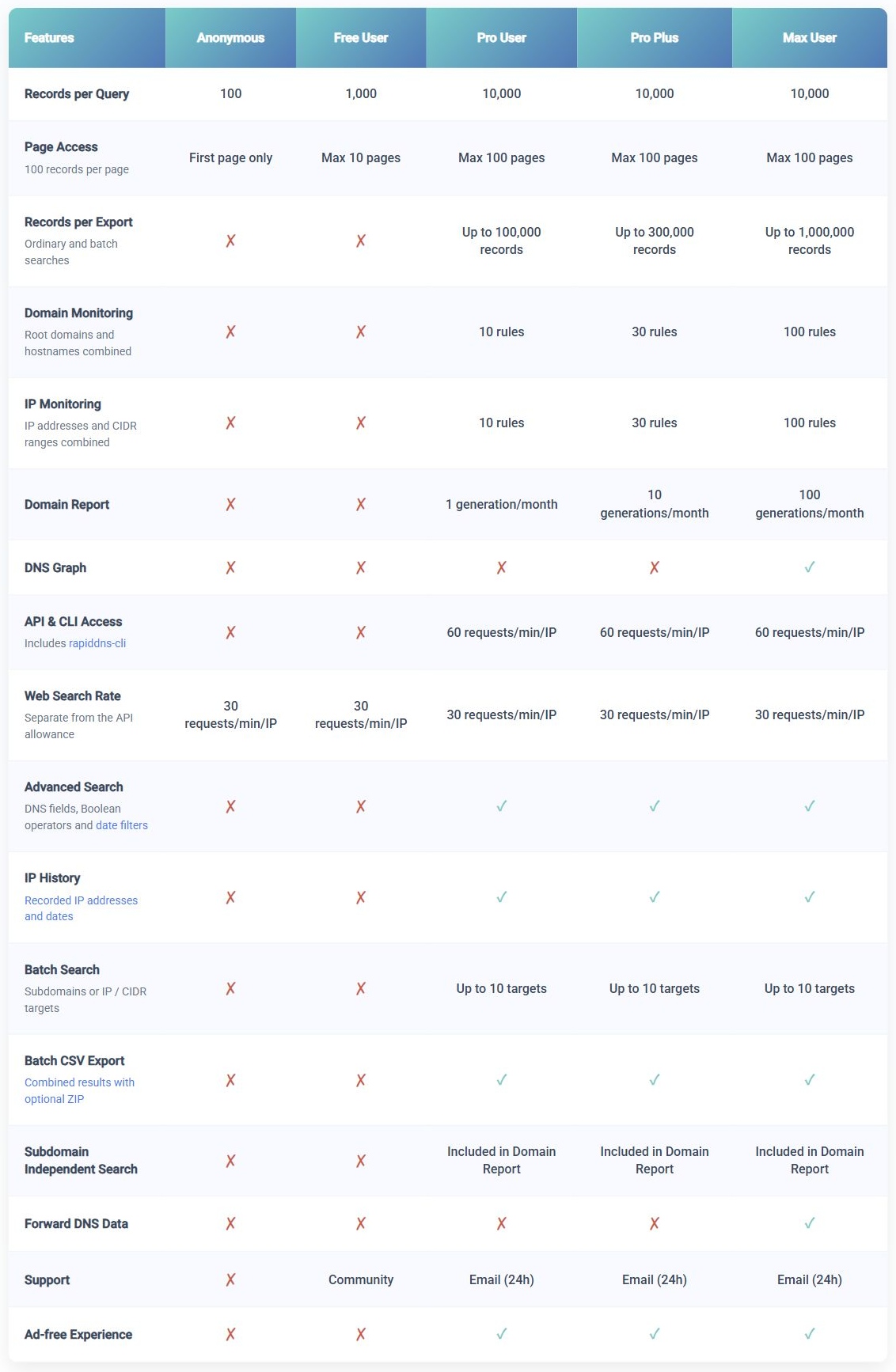
You can browse up to 10,000 results online. To retrieve more, export the results as CSV; ZIP compression is recommended for larger exports. Pro, Pro Plus, and Max allow up to 100,000, 300,000, and 1,000,000 records per export, respectively. The export limit applies to the entire batch, not to each target separately.
Monitor new subdomains and IP associations #
The new monitoring feature tracks newly discovered records:
- Root domain monitoring checks for newly discovered subdomains.
- Hostname monitoring checks for new IPv4 and IPv6 addresses associated with a specific hostname through its A/AAAA records.
- IP monitoring checks for newly discovered domains associated with an IP address or CIDR range.
The first successful check establishes a baseline, so existing records do not trigger new-record notifications. Checks are then scheduled at 60-minute intervals; queued tasks may start later. New findings appear in your account’s Messages section. You can open the monitoring history to inspect changes and download them as JSON.
The examples below show actual findings: one new subdomain under qq.com and one new domain associated with 172.217.3.0/24.


Analyze domain results with aggregated reports #
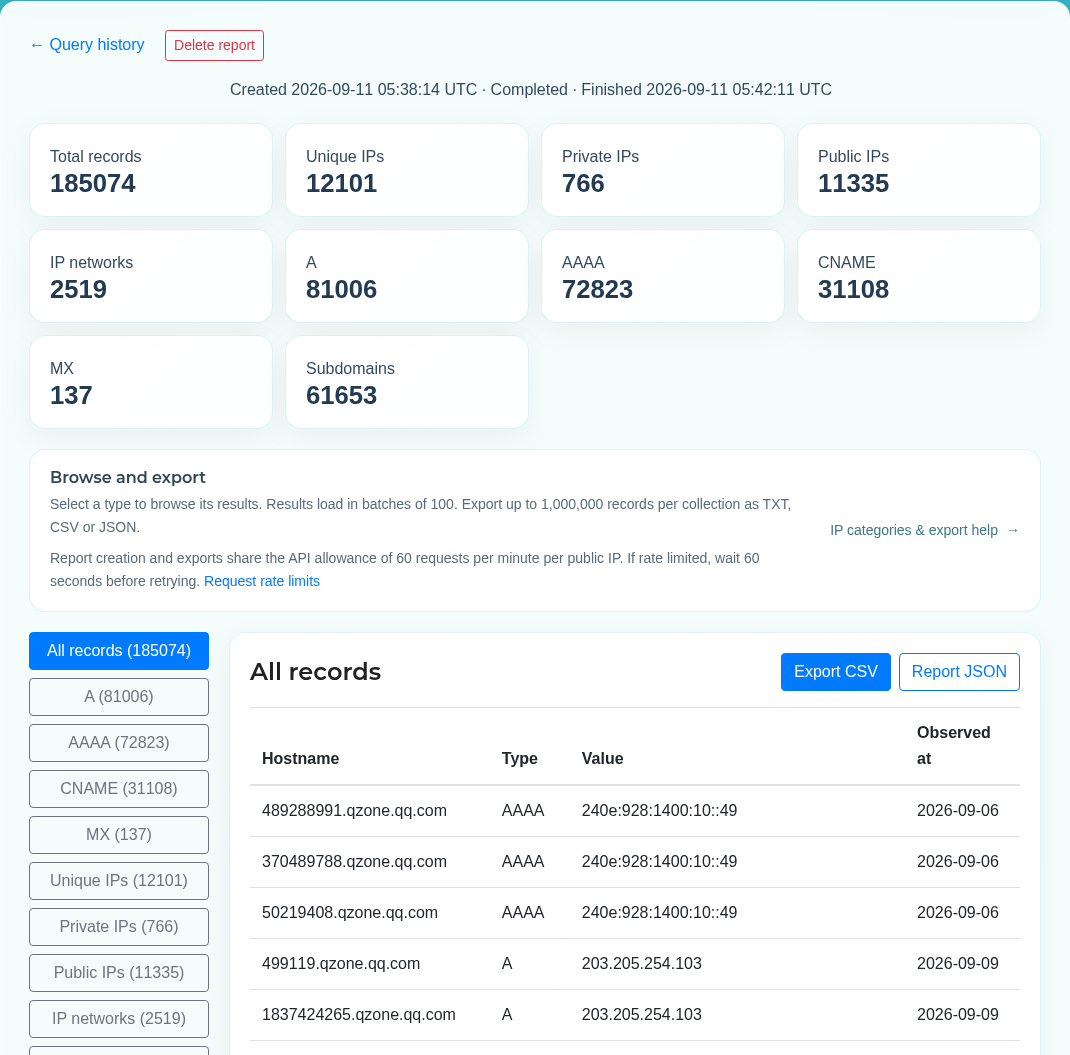
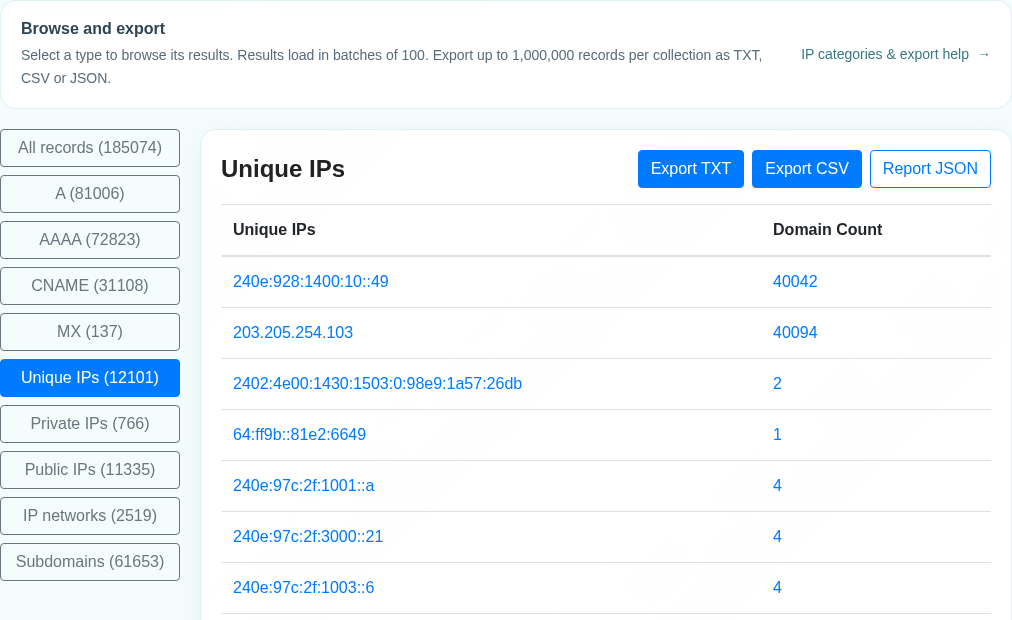
The new domain reports aggregate search results into a single analysis. They bring together statistics for total records, unique IPs, public and private IPs, network ranges, DNS record types, and subdomains.
You can browse the details by category. The Unique IPs view also shows how many domains are associated with each IP. Export options include TXT, CSV, and JSON.
Look up a hostname’s IP history #
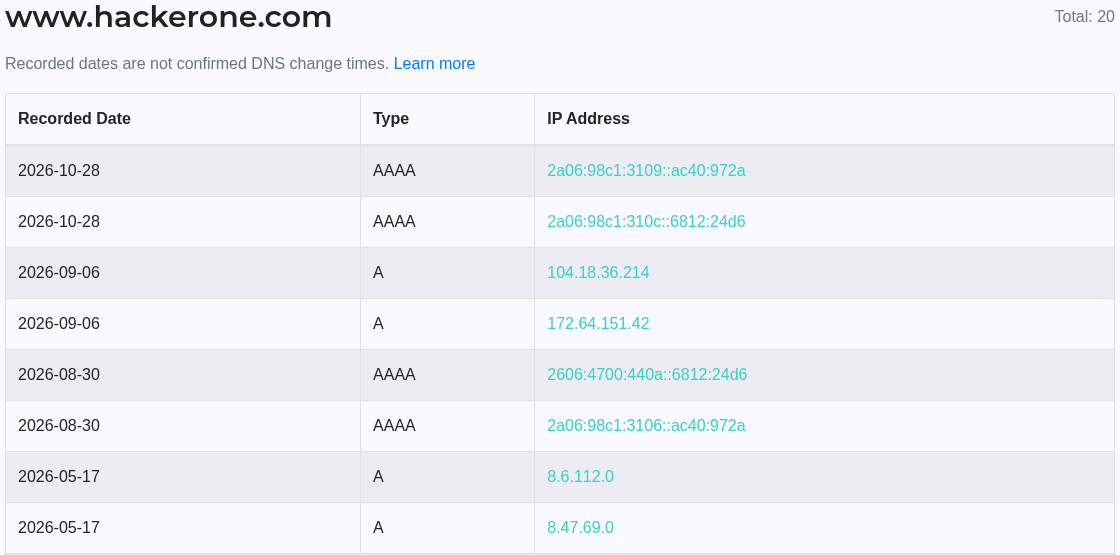
Subdomain IP history shows the IP addresses RapidDNS has recorded for a hostname. Enter a full hostname, such as www.hackerone.com, to see its recorded A and AAAA addresses, record types, and dates. Click an IP address to look up other domains associated with it.
Historical records may reveal IP addresses used before a site moved behind a CDN or cloud-based web application firewall (WAF). These can provide leads when trying to identify a site’s origin server. If the same service is still directly accessible at an older IP address, it may provide a way to bypass those protections and warrant further verification.
The dates shown are dataset record dates, not the times when DNS actually changed. A historical association alone does not establish that an IP is still the site’s origin server.
Explore relationships with DNS Graph #
DNS Graph connects domains, subdomains, record types, DNS record values, and IP addresses in an interactive view. Click a node to focus on a relationship, then double-click to expand related IP addresses and record values. Following these connections can reveal leads that are less obvious in a table.
The example below shows the graph for hackerone.com. DNS Graph requires sign-in and a Max plan.

Find nameserver relationships with NS records #
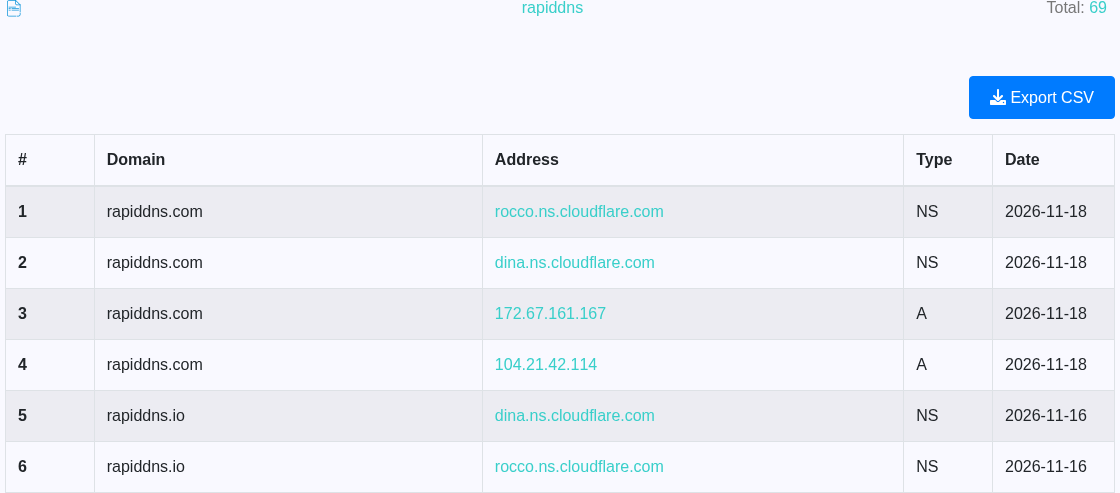
RapidDNS now collects NS (nameserver) records. You can view them alongside A, AAAA, CNAME, MX, and other record types in regular domain searches, or filter for NS relationships in DNS Graph.
When an organization operates its own nameservers, shared nameservers may help identify related domains and provide another lead for asset discovery.
Send feedback from any page #
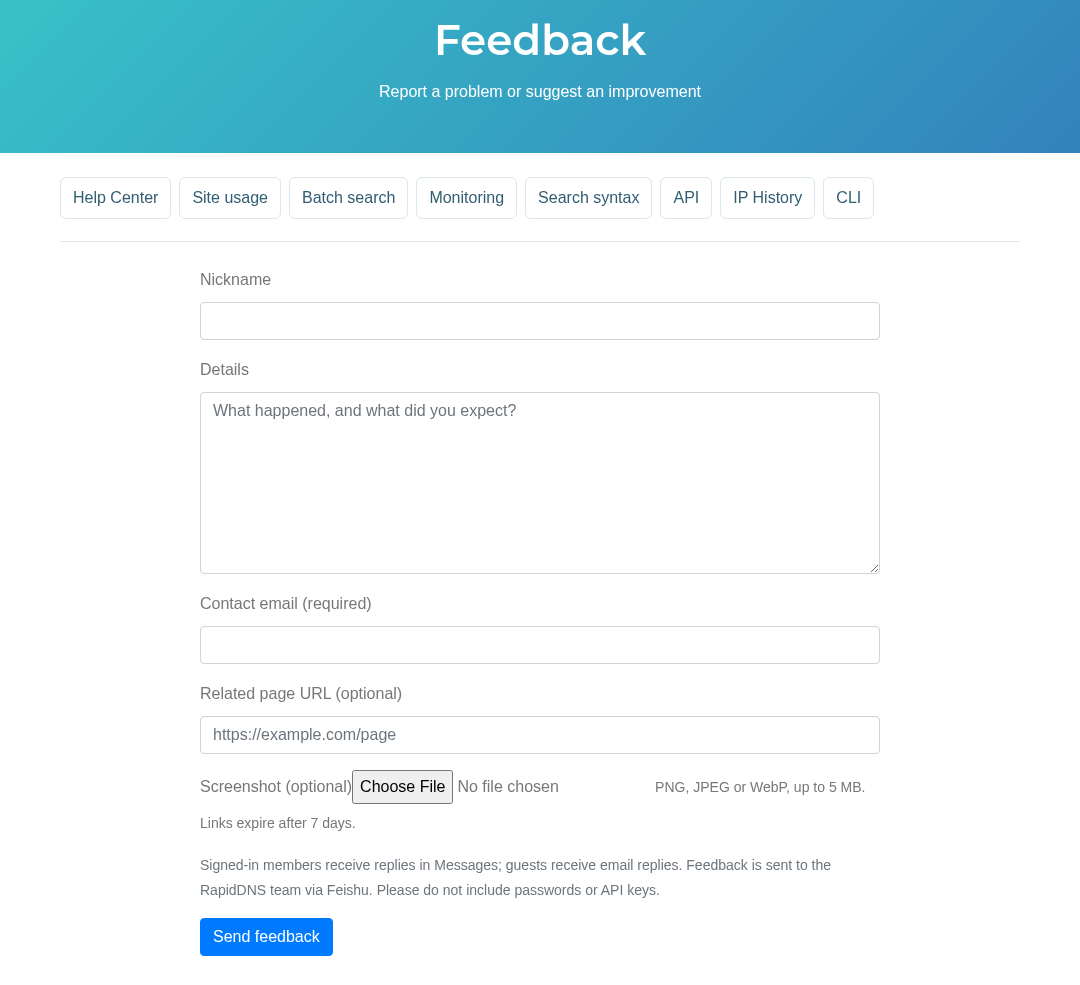
Use the sitewide Feedback option to report a page issue, suggest a data addition, or request a feature. Include the details and, where useful, a page URL and screenshot so I can investigate.
Introducing Pro Plus #
The new Pro Plus plan costs $25 per month or $250 per year. It is intended for users who already rely on batch search and monitoring but need more monitoring rules, reports, or export capacity than Pro provides.
| Feature | Pro | Pro Plus | Max |
|---|---|---|---|
| Monthly price (USD) | $10 | $25 | $50 |
| Annual price (USD) | $100 | $250 | $500 |
| Records per CSV export in regular and batch searches | 100,000 | 300,000 | 1,000,000 |
| Domain monitoring rules | 10 | 30 | 100 |
| IP monitoring rules | 10 | 30 | 100 |
| Domain reports per month | 1 | 10 | 100 |
| DNS Graph | No | No | Yes |
All three paid plans include batch searches of up to 10 targets, advanced search and date filters, subdomain IP history, API access, and support for rapiddns-cli. They are also ad-free.
For regular searches, paid users can browse up to 100 pages or 10,000 records. Free registered users can browse up to 10 pages or 1,000 records. Without signing in, you can view the initial set of up to 100 records.
Root domain and hostname monitors share the domain monitoring allowance. Individual IP and CIDR monitors share the separate IP monitoring allowance. The API has its own rate limits; see the pricing and plan details.
What’s next #
With more than 11 billion records in RapidDNS, finding useful leads in the data becomes increasingly important. That’s why I continue to build new features and explore ways to make the data more useful. I plan to expand both the features and the datasets while keeping RapidDNS straightforward to use.
I’ll continue sharing practical examples. If you run into a problem or have a use case you’d like me to cover, send me feedback, leave a comment on my WeChat article, or message me on WeChat.